
Unsubscribe from Event Emails
Use the unsubscribe link in an event email to stop event emails from that organiser without signing in. Unsubscribing does not stop sign-in or account security emails.
Before you start
Use the link from an email delivered to the address you want to unsubscribe.
Unsubscribe from one organiser
Open the link in the email
Lylac checks the unsubscribe link and shows the organiser's name. Opening this page does not change your preferences.
Check the organiser
Review the name on Unsubscribe from [organiser]?.
Choose Unsubscribe
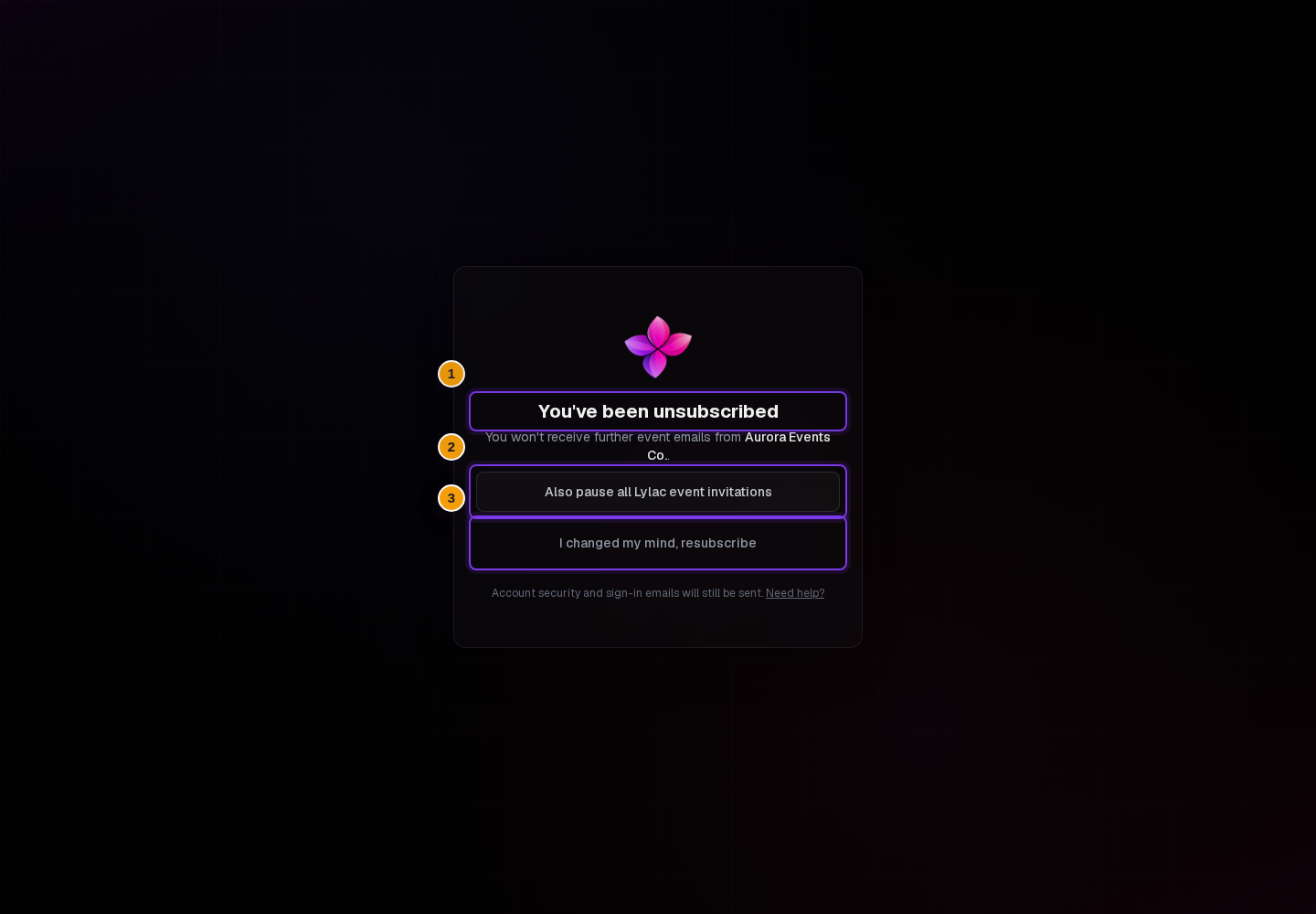
Choose Unsubscribe. When the change succeeds, the page shows You've been unsubscribed.
![Initial Unsubscribe from [organiser]? screen with the Unsubscribe button](/cdn-cgi/image/width=3840,quality=75,format=auto/images/help/getting-started/unsubscribe-from-event-emails/01-confirm-unsubscribe.light.png)
![Initial Unsubscribe from [organiser]? screen with the Unsubscribe button](/cdn-cgi/image/width=3840,quality=75,format=auto/images/help/getting-started/unsubscribe-from-event-emails/01-confirm-unsubscribe.dark.png)
Pause or resubscribe
After unsubscribing, you can choose:
- Also pause all Lylac event invitations to pause event emails from every organiser.
- I changed my mind, resubscribe to undo the unsubscribe for this organiser.
- Resume all Lylac event invitations after pausing to lift the global pause.
Resuming all invitations keeps individual organiser unsubscribes. Resubscribing to one organiser keeps any global pause. To receive that organiser's emails again, manage email preferences, turn off the global pause and turn on that organiser's switch.
If something goes wrong
This link is no longer valid. Use a link from a newer event email, or contact the organiser. You can also sign in and manage email preferences.
You unsubscribed by mistake. Choose I changed my mind, resubscribe on the confirmation page. If you also paused all invitations, lift that pause in email preferences.
You still receive sign-in or security emails. These preferences do not stop those emails.
If you still need help, choose Contact support.
Next steps
- Manage email preferences to review all organiser choices.
- Accept an invitation.