
Plan Gate or Upgrade Prompt
Lylac checks an organisation's event allowance when a draft is published. Drafts do not use an event allowance, so you can save a new event as a draft even when the organisation is at its limit.
Before you start
You need:
- owner or admin access to complete a purchase;
- the draft event you were trying to publish;
- the plan and usage shown in Lylac.
Respond to the prompt
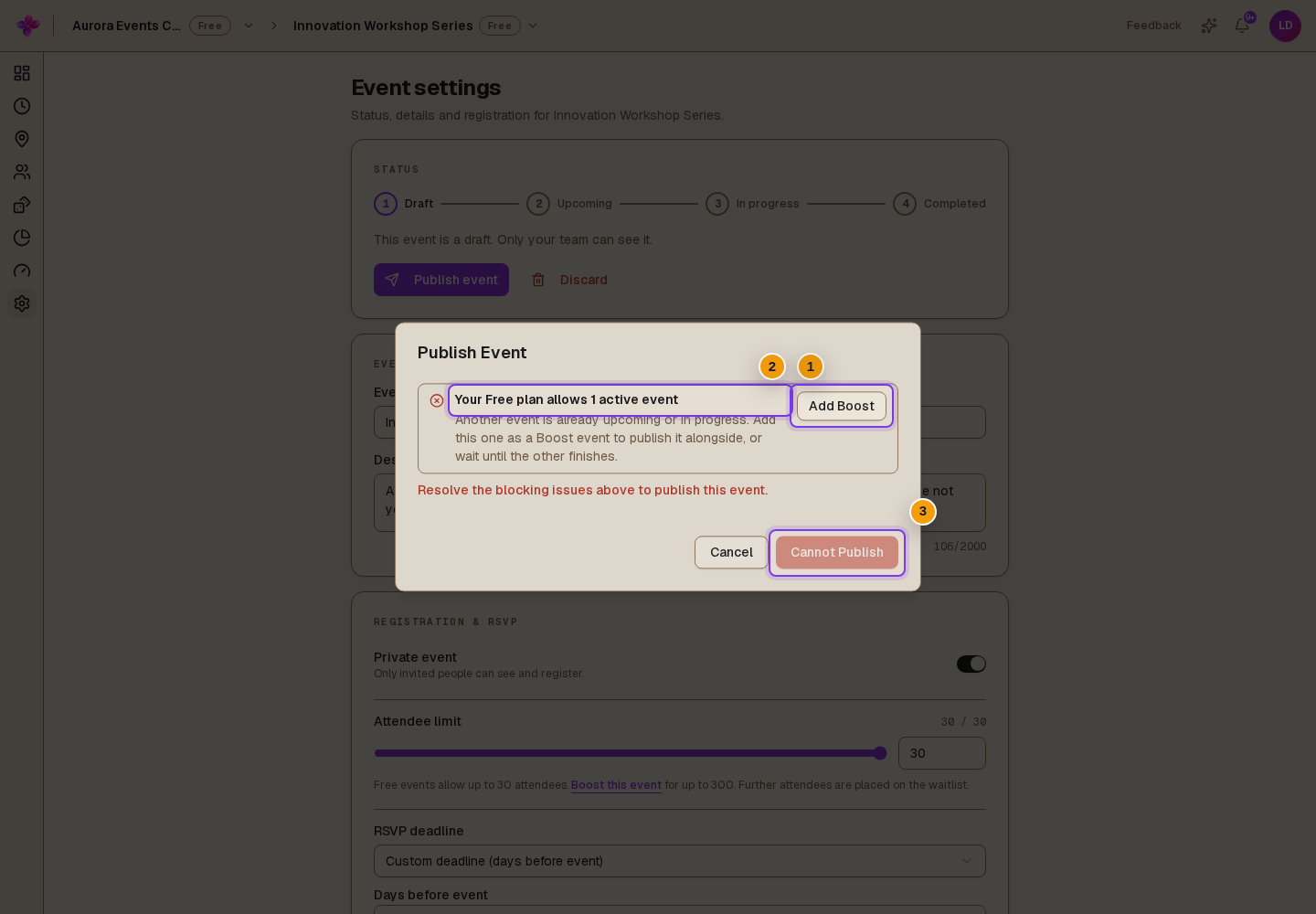
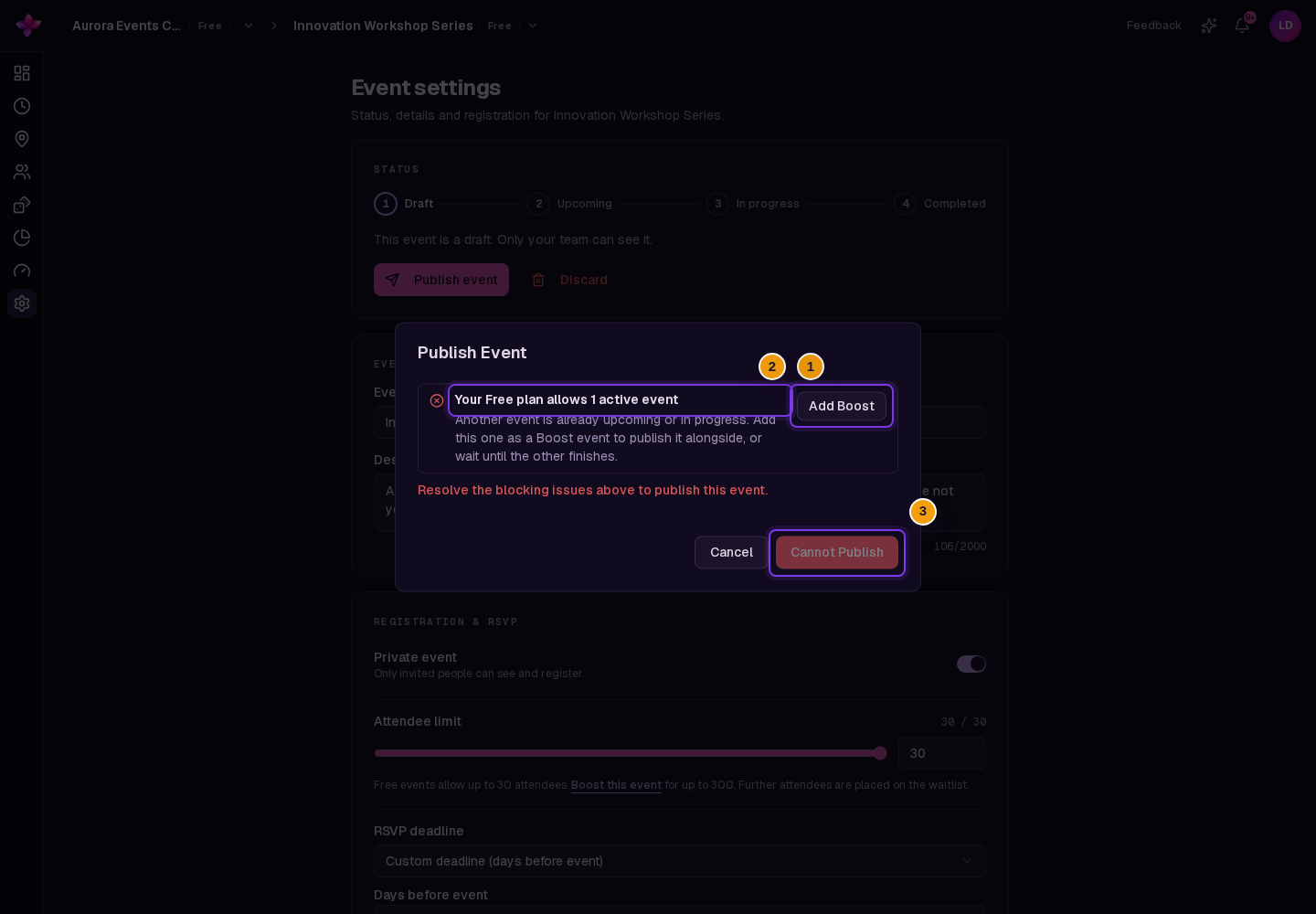
Read the blocker in the Publish Event dialog
Open Event settings, choose Publish event and read the plan allowance message. The fix depends on whether the organisation uses Free or Team.
Use the Free plan path
Free allows one active free event at a time. If another free event is Upcoming or In Progress, choose Add Boost for the draft you want to publish. You can also wait until the active event finishes.
Use the Team plan path
Team includes four published events per billing year, plus any additional event slots already purchased. If the allowance is full, choose Buy event slot.
Complete the purchase
Follow the Stripe checkout. After payment completes, close the payment window and allow Lylac a few moments to update the plan or event allowance.
Publish the draft again
Return to Event settings, open Publish Event and choose Publish once the plan blocker has cleared.
Plan prompt problems
A Free organisation can create a draft but cannot publish it. This is expected when another free event is Upcoming or In Progress. Drafts do not count. Add Boost to the new event or wait for the active event to finish.
A completed or cancelled Free event still seems to count. Refresh the page and open Publish Event again. Completed, cancelled, discarded and draft events do not use the Free active-event allowance.
A Team event still counts after it finishes. Published Team events continue to use the billing-year allowance after completion or cancellation. An event from before the current billing year does not count.
The prompt says Lylac could not check the allowance. Wait a moment and try Publish event again. Do not start a purchase until the dialog shows the Free or Team allowance blocker.
The blocker remains after payment. Wait a few moments, refresh the page and try publishing again. Do not make the same purchase again while the first payment may still be updating.
You cannot complete the purchase. An organisation owner or admin must buy a Boost, Team upgrade or additional event slot.
Next steps
- Use Payment or checkout problems if Stripe does not load or the purchase does not appear.
- Review Cannot publish an event for non-plan blockers.
- Compare limits in Plans and inclusions.
- Review Event statuses to see when Free events use the active-event allowance.