
Set the RSVP Deadline
An RSVP deadline is required before publishing. Set it under Registration & RSVP in Event settings.
Before you start
You need owner, admin or editor access to the organisation. Save the event start and end times in Schedule first.
Choose a deadline
Open the RSVP settings
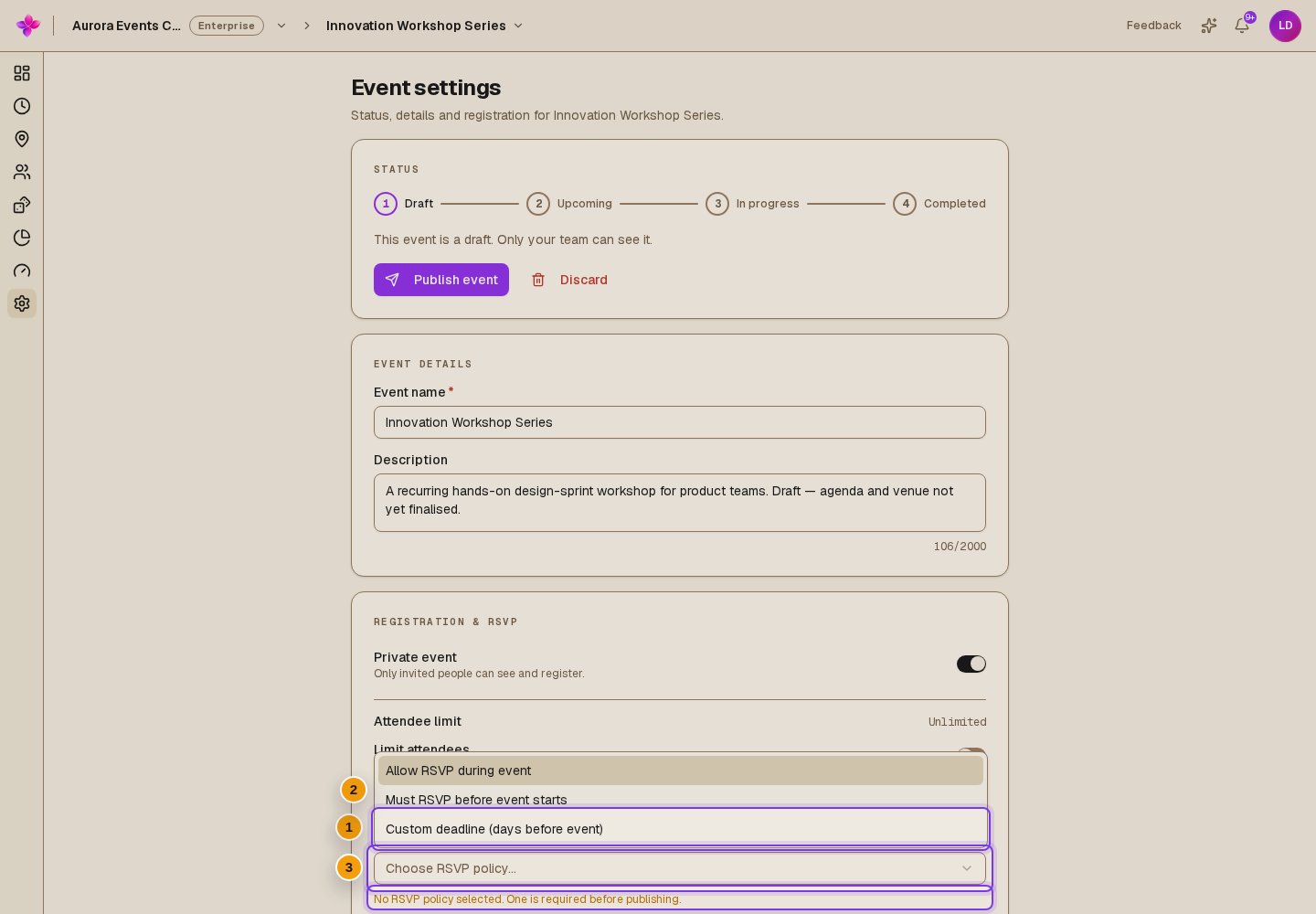
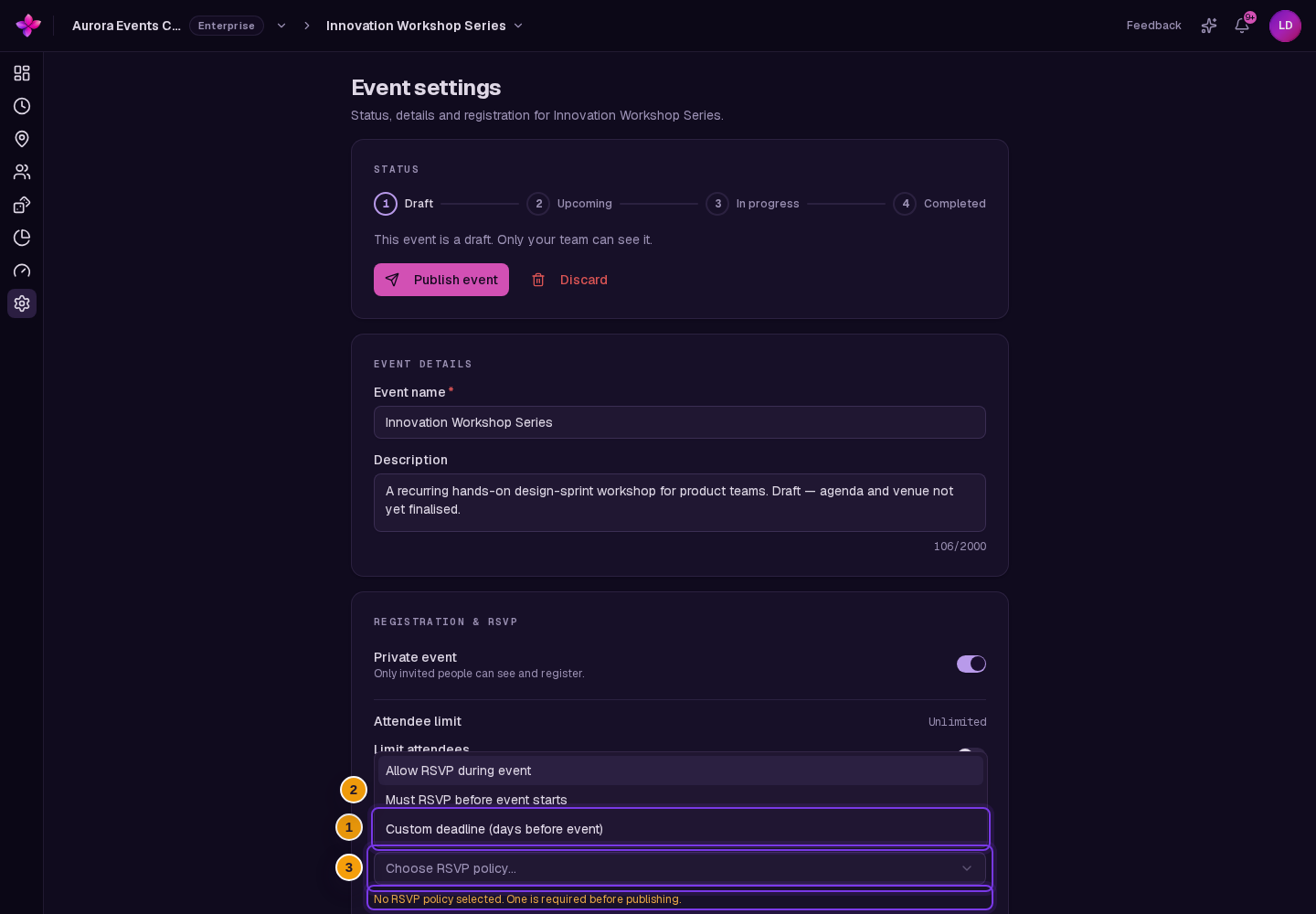
Open Event settings and find RSVP deadline under Registration & RSVP.
Choose a policy
Choose Allow RSVP during event to accept responses until the end time, Must RSVP before event starts to close at the start time, or Custom deadline (days before event).
Set a custom deadline if needed
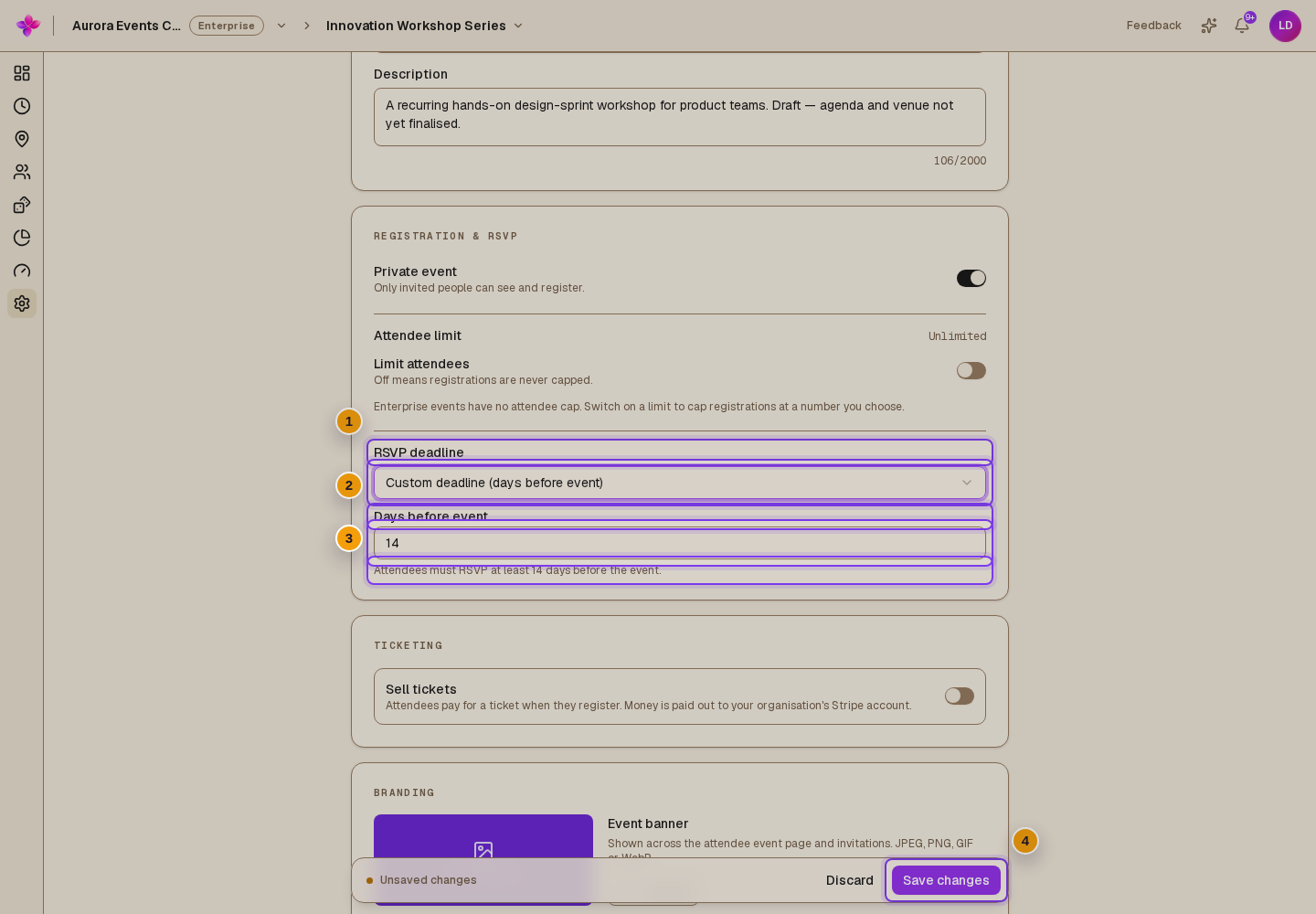
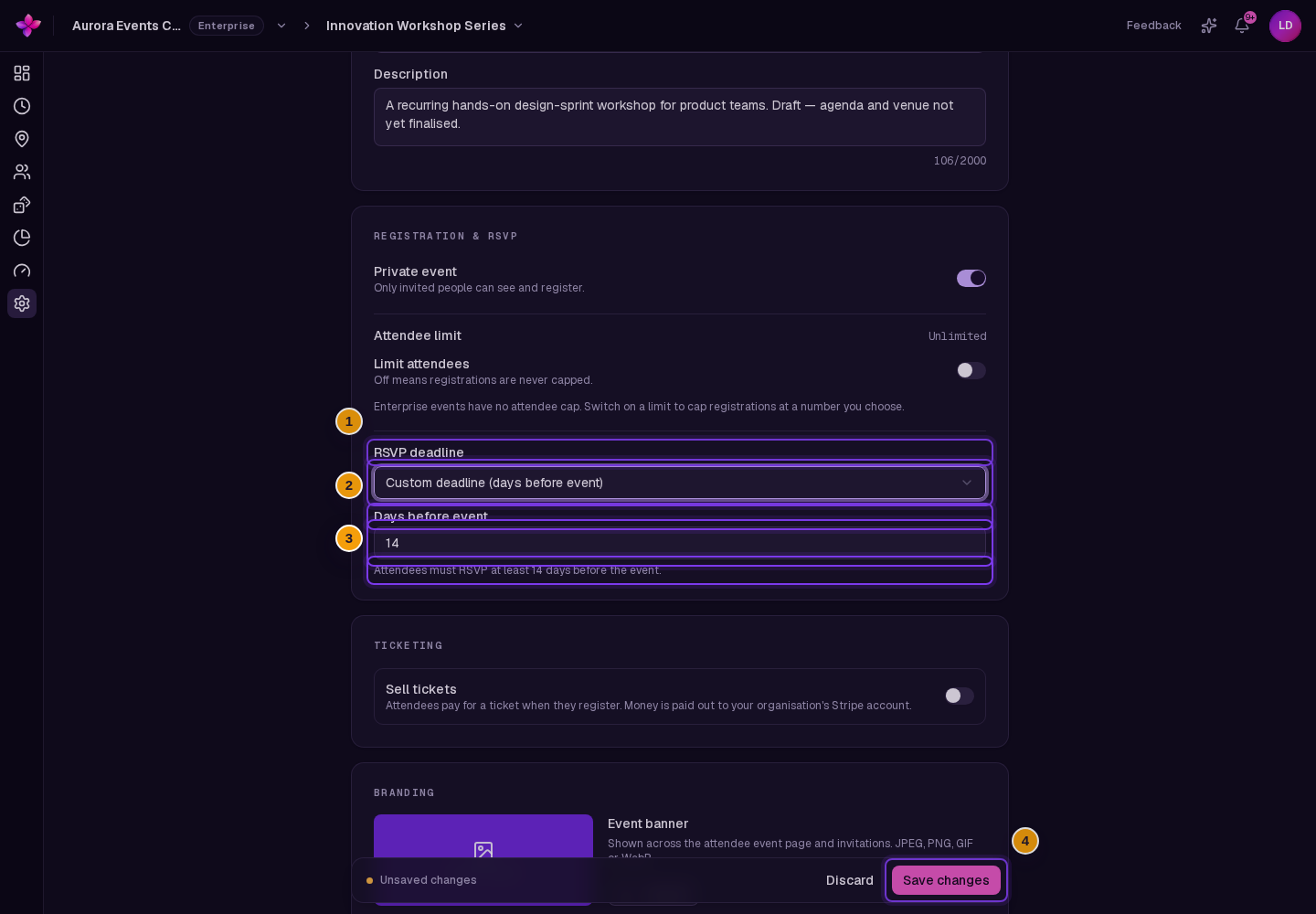
For a custom policy, enter Days before event. Read the helper text to check how many days before the start responses will close.
Save the policy
Choose Save changes in the Unsaved changes bar. Save before opening the publish dialog.
Check the deadline after changing dates
A deadline tied to the start or end time follows that time when it changes. A custom deadline stays at its saved date. Review it after changing the schedule, and save a new policy if needed.
If something goes wrong
A policy is unavailable. The during-event option needs an end time. The before-start and custom options need a start time. Add the missing times in Schedule.
Publishing says the deadline is missing or in the past. Choose a deadline that has not passed, save the settings, then reopen Publish event.