
Manage Email Preferences
Email preferences control event emails from organisers. Pausing or unsubscribing does not stop sign-in or account security emails.
Before you start
Sign in with the email address whose preferences you want to change. You can pause event emails even if no organisers are listed yet.
Update email preferences
Open email settings
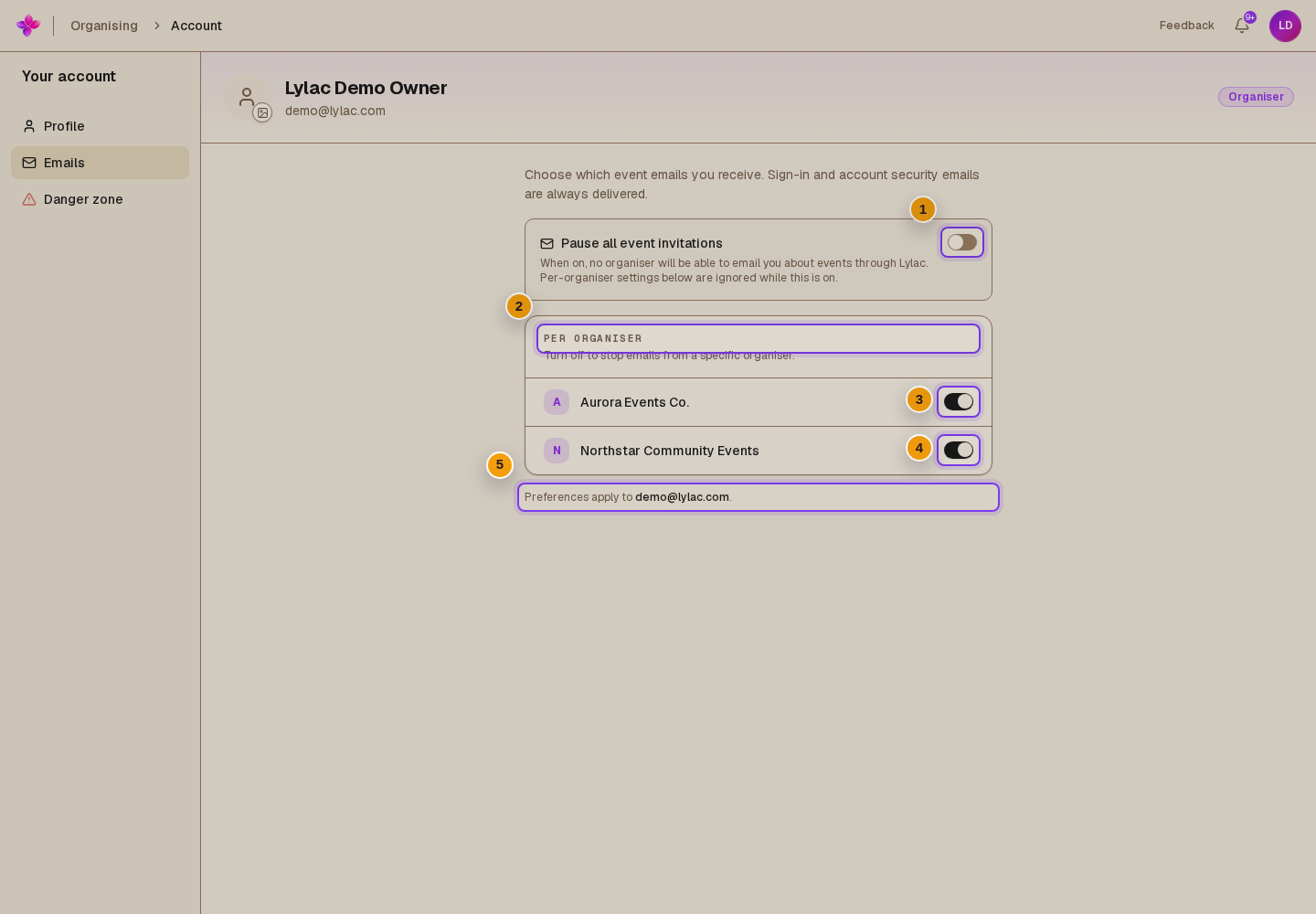
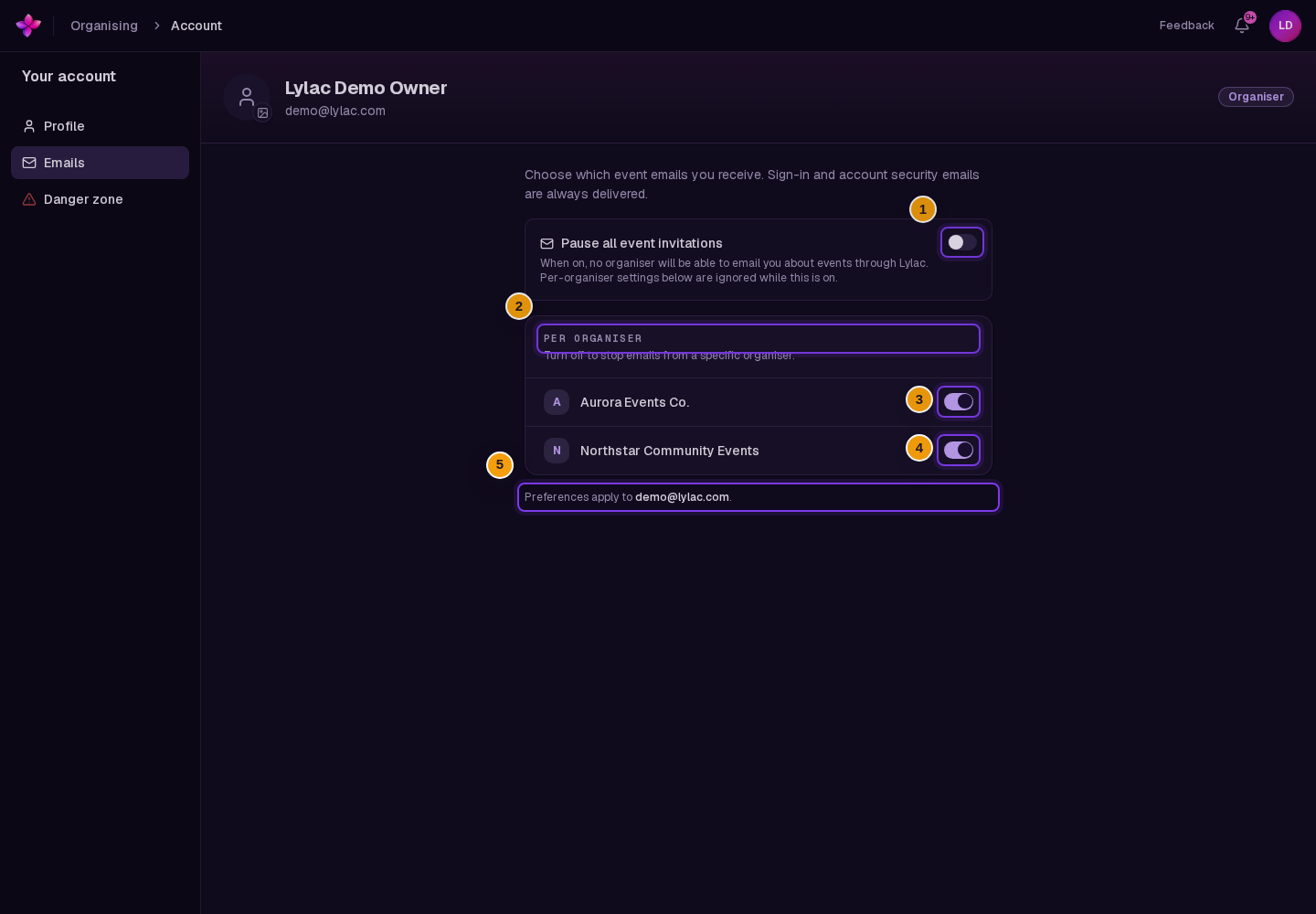
Open the avatar or initials menu, choose Account, then choose the Emails tab.
Check the email address
Read Preferences apply to at the bottom of the page. Make sure it shows the address you want to manage.
Pause all event emails if needed
Turn on Pause all event invitations to stop event emails from all organisers. The individual organiser switches are disabled while the pause is on.
Adjust individual organisers
With the global pause off, use the switches under Per organiser. Turn a switch off to unsubscribe from that organiser, or on to resubscribe. Changes save automatically.
Resume emails
Turn off Pause all event invitations to lift the global pause. This keeps your individual organiser choices. Turn on an organiser's switch as well if you previously unsubscribed from them.
If something goes wrong
No organisers are listed. The list includes organisations you belong to, organisers who have invited you, and organisers you previously unsubscribed from.
An organiser switch is disabled. Turn off Pause all event invitations first. Switches are also temporarily disabled while a change saves.
A change does not save. If Lylac shows an error, the switch returns to its previous setting. Refresh the page and try again.
If you still need help, choose Contact support.
Next steps
- Unsubscribe from event emails using an email link.
- Manage your account profile.